






Tempered Glass Mouse Pads: Why the Tempering Matters
Pick up a cloth mouse pad that has been through a few hundred hours of gaming and you will feel the problem immediately. The surface has changed—softened in the middle, stiffened at the edges, subtly different under your mouse than it was on day one. Your muscle memory was calibrated to something that no longer exists. Now consider that a tempered glass mouse pad does not do that. Not on day one, not after a year. The surface you learn on is the surface you keep.
But the word tempered is doing a lot of heavy lifting in that sentence, and most buyers gloss right over it. Tempered glass is not simply a premium way of saying "glass." It is a specific manufacturing process that transforms ordinary glass into something fundamentally different in terms of strength, safety, surface stability, and performance. Understanding what that process actually does—and why it matters for a mouse pad—is what separates a purchase based on aesthetics from one based on real, measurable benefit. This guide breaks it all down.
What Tempered Glass Actually Is
Tempered glass and regular glass start life from exactly the same raw materials. The difference is entirely in what happens during manufacturing. Regular annealed glass is formed by cooling molten glass slowly in a controlled environment, which relieves internal stress and leaves the material in a relatively uniform but fragile state. Tempered glass takes that same sheet and puts it through a second, deliberate heat treatment. The glass is heated to over 600°C and then rapidly cooled using high-pressure air jets—a process that compresses the outer surfaces while the interior remains under tension. That stress differential is permanent, and it is the source of everything that makes tempered glass useful on a desk.
The result is a material that is roughly four to five times stronger than the annealed glass it started as. More importantly for anyone using it as a daily surface, tempering also changes how the glass fails if it ever does break. Regular glass shatters into large, sharp, irregular shards. Thermally tempered glass breaks into small, blunt, granular fragments that are far less likely to cause injury. For a surface that sits under your hands for hours at a time, that safety profile is not trivial—it is a deliberate engineering outcome, not a coincidence.
There is a second route to the same goal, and it is the one most relevant to thin mouse pads. Chemical tempering—also called chemical strengthening—skips the furnace-and-air-jet step: the glass is immersed in a hot potassium-salt bath, where larger potassium ions swap places with smaller sodium ions at the surface and pack it into a layer of compression. Because it does not rely on cooling the surface and core at different rates, chemical tempering suits thin sheets where thermal tempering is harder to do well, which is why a 3 mm pad such as the Atlas Glass Mouse Pad uses chemically tempered glass. The one thing it does not share with thermal tempering is the granular break pattern described above, so handle any glass pad with care rather than treating it as shatterproof.
Why Regular Glass Would Fail on Your Desk
It is worth asking why manufacturers do not simply cut a sheet of ordinary glass to desk-pad dimensions and call it a day. The answer is that regular glass cannot handle the mechanical realities of everyday use. Annealed glass is brittle under localized impact, meaning a dropped keyboard or an edge knock that a tempered pad is far better able to withstand would fracture a standard pane. Even before breakage, regular glass is prone to surface scratching from common desk objects, which would degrade both its appearance and—critically—its performance as a tracking surface over time.
There is also a flatness and dimensional stability consideration. The tempering process, when performed correctly, produces a surface that is exceptionally flat and structurally rigid. This matters for consistent sensor tracking: any flex or warp in the surface translates directly to variability in how your mouse sensor reads movement. A glass pad that is not perfectly flat is a glass pad that introduces the same kind of inconsistency you were trying to escape from cloth. Tempering is what makes rigidity and durability achievable at the thin profiles gaming mouse pads require.
How Tempering Delivers Real Performance Benefits
The practical performance benefits of a well-made tempered glass pad flow directly from the properties described above. Because the surface is hard and non-porous, it resists scratches and maintains a consistent texture over its entire lifespan. Cloth pads develop uneven friction zones as the fabric compresses differentially under heavy mouse use—the center of the pad where your sensor spends most of its time wears faster than the edges. A tempered glass surface does not wear in that way. The glide you experience on session one is the glide you experience on session one thousand.
Scratch resistance also means the surface cleans easily and completely. A quick wipe with a microfiber cloth or a spray of glass cleaner removes skin oils, dust, and debris without leaving residue that alters friction. There are no fabric fibers to trap sweat or absorb grime over time. For players who game in warm conditions or for extended sessions, this is a meaningful hygiene and consistency advantage. The surface stays the same because it is engineered to stay the same—that is the whole point of tempering it in the first place.
Micro-Etching: The Hidden Key to Sensor Accuracy
Here is where most buyers encounter a genuine misconception. A completely smooth, polished sheet of transparent glass would actually be a poor mouse surface. Optical sensors work by capturing rapid successive images of the surface beneath them and calculating movement from the differences between those images. A perfectly smooth, reflective glass surface provides very little texture for the sensor to read, which can cause tracking errors, spin-outs, and inconsistent readings. This is not a deficiency of the sensor—it is a physical reality of how image-correlation tracking works.
Premium tempered glass mouse pads solve this through micro-etching: a chemical or mechanical process that creates a microscopic texture on the glass surface, typically measured in micrometers. This texture is invisible and imperceptible to the human hand—the surface still feels smooth—but it gives optical sensors a consistent, readable pattern across every centimeter of the pad. The etched surface acts as a precise image map, allowing high-end sensors to deliver accurate tracking at both slow, deliberate micro-adjustments and fast, sweeping flick shots. The etching depth and uniformity matter enormously here: an inconsistently etched surface creates variable friction zones that undermine the very consistency that makes glass worth choosing.
This is also why the combination of tempering and micro-etching is significant. The tempering provides the structural integrity that keeps the etched surface flat and stable under use. The micro-etching provides the sensor-readable texture the tracking system needs. Neither is sufficient alone. Together, they produce a surface that is genuinely engineered for performance rather than simply cut from available material.
Environmental Consistency: The Edge Glass Has Over Cloth
One of the most underappreciated advantages of a tempered glass pad has nothing to do with its material hardness—it is its indifference to the environment around it. Cloth mouse pads absorb moisture. On a warm day, after an hour of competitive gaming, a cloth surface is physically different from what it was when you sat down: slightly more humid, marginally slower, subtly altered under your sensor. This is not speculation—it is the natural behavior of porous textile materials under varying temperature and humidity conditions.
Glass absorbs nothing. A tempered glass pad delivers the same glide speed and the same sensor feedback regardless of room temperature, ambient humidity, or how long the session runs. For players working to build and maintain reliable muscle memory—the physical habit of knowing exactly how far a mouse movement translates to on-screen cursor travel—this environmental immunity is one of the most meaningful consistency advantages available. You are not relearning the surface every time conditions shift. The variable is removed entirely.
Ergonomics and Your Desk Setup
A glass mouse pad introduces a harder surface into what is often the primary contact point for your mousing arm during long sessions, which makes the rest of your setup more important than it might be with a soft cloth pad. The rigidity that makes glass perform so consistently is also unforgiving if your posture or desk height is poorly configured. Players who anchor their wrist directly on the glass edge for hours at a time are placing sustained pressure on a hard, unyielding surface—that is a recipe for wrist fatigue regardless of how well-engineered the pad itself is.
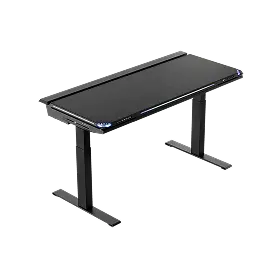
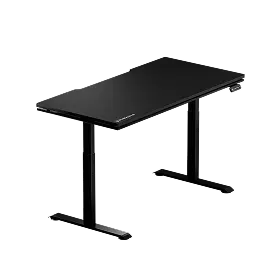
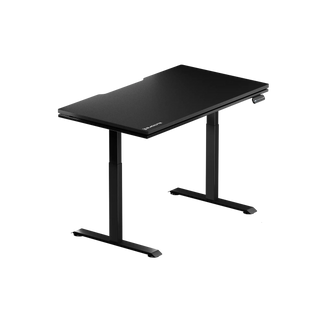
The fix is not to avoid glass pads; it is to build the surrounding setup correctly. Edge design on the pad matters: rounded, CNC-finished edges reduce the sharp-contact problem significantly and are worth prioritizing when comparing options. Beyond the pad itself, the height of your desk, the position of your chair, and the angle of your forearm all play a direct role in how comfortable a hard surface feels over a multi-hour session. A height-adjustable standing desk gives you the ability to dial in exactly the arm position that lets you keep your wrist neutral and your forearm supported—which is where glass padding transitions from a precision tool into a genuinely sustainable long-term surface.
If you are building or upgrading a setup around a glass mouse pad, it is worth thinking about the full ergonomic picture. Blacklyte's ergonomics guide walks through the principles of a posture-perfect workstation, and the Atlas Desk range is designed specifically around the kind of adjustability that makes a hard-surface setup genuinely comfortable over time. The Atlas Desk and Atlas Lite Standing Desk both offer height adjustability alongside integrated cable management and a built-in electrical socket—so the desk works around your setup rather than the other way around.
What to Look for in a Tempered Glass Mouse Pad
Not every product labeled "tempered glass" delivers the same outcome. The tempering itself is table stakes—what differentiates a genuinely performance-oriented pad from a generic one comes down to a handful of specific factors that are worth checking before committing to a purchase.
- Micro-etched surface with consistent texture depth: Look for pads that specify a micro-etched finish. Uniformity across the entire surface is what ensures consistent tracking from edge to edge, not just in the center where you spend most of your time.
- Flat, stable construction: The tempering process should produce a genuinely flat surface. Any flex or bow in the pad will introduce variability in sensor read-outs. Thicker pads are not always flatter, but construction quality matters significantly here.
- Rounded, finished edges: CNC-milled or polished chamfered edges reduce wrist and forearm contact discomfort during extended sessions. Sharp or roughly cut edges are a red flag for overall build quality.
- Anti-slip base: A hard, smooth pad on a hard, smooth desk is a pad that will move under pressure. A quality anti-slip base—typically silicone or polyurethane—keeps the pad anchored during fast, large movements without adding unnecessary height.
- Size matched to your sensitivity and play style: Low-sensitivity players who use broad arm movements need significantly more surface area than high-sensitivity players who work primarily from the wrist. Neither is wrong—but the pad size should match the style.
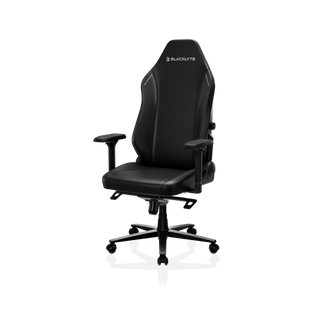
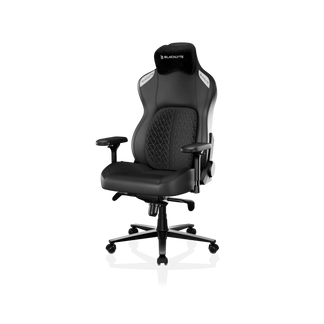
It is also worth thinking about how a glass pad fits into the full context of your station. A premium tracking surface sits best on a desk that supports the ergonomic position you need to use it without strain. If your current setup has you fighting your chair height or hunching toward a fixed-height desk, the glass pad's consistency advantage is partly offset by postural fatigue. Blacklyte's Gaming Hub covers the ergonomic side of competitive setups in detail, and the Kraken Pro and Athena Pro gaming chairs are built with 4D armrests and advanced lumbar support systems designed to keep your arms and back in the right position for exactly this kind of precision work. Accessories complete the picture—explore the full accessories range to see what pairs well with your current station. The Atlas Glass Mouse Pad itself is built to the checklist above: chemically tempered glass micro-etched to a smooth frosted finish, CNC-milled rounded edges, a full-surface honeycomb silicone base, and a 490 × 420 mm (19.3″ × 16.5″) surface at a 3 mm profile.
The Bottom Line
Tempering is not a marketing term. It is a heat treatment process that fundamentally changes the internal structure of glass, making it stronger, safer, dimensionally stable, and capable of accepting the micro-etched surfaces that modern optical sensors need to track accurately. When you buy a tempered glass mouse pad, you are buying the outcome of that engineering: a surface that does not change, does not absorb, does not wear, and does not introduce the environmental variability that gradually erodes muscle memory on cloth alternatives.
That kind of consistency is worth investing in. But it works best as part of a setup that is built around it—the right desk height, the right chair position, and the right ergonomic foundation to support hours of precise, comfortable movement. The pad is one variable eliminated. Build the rest of the setup to the same standard, and the difference becomes measurable where it counts most: in your performance.
Build the Setup That Matches Your Standards
A precision surface deserves a precision setup. Explore Blacklyte's full range of gaming chairs, height-adjustable standing desks, and accessories—engineered for the players who take performance seriously.


