








The Ultimate Gaming Desk Guide: Sizes, Shapes & Surface Materials
Your monitor refresh rate, GPU clock speed, and mechanical switch type get all the attention. But the desk underneath your entire setup? That often comes as an afterthought. It shouldn't.
The right gaming desk does more than hold your gear. It shapes your posture, defines how your peripherals are positioned, determines how much space you have to breathe during a clutch moment, and sets the tone for your entire battle station. Get it wrong, and you're fighting your setup as much as you're fighting your opponents. Get it right, and everything flows.
This guide breaks down everything you need to know about gaming desk sizes, shapes, and surface materials — the three decisions that matter most before you spend a single dollar. Whether you're building your first rig or upgrading a setup you've outgrown, this is where to start.
Why Your Gaming Desk Is More Important Than You Think
Most gamers treat their desk like a passive surface — a flat thing that gear sits on. But anyone who has spent 6-hour sessions on a desk that's too narrow, too low, or made from cheap particleboard knows: the desk actively affects performance. A cramped surface limits mouse movement. A wobbly frame introduces vibration during intense moments. Poor height forces your wrists into unnatural angles, building up strain over weeks and months. And a desk with no cable management turns your setup into a tangle that slows everything down, literally and mentally.
The gaming desk market has matured significantly. Today's options range from simple straight tables to height-adjustable standing desks with integrated power delivery, smart lighting, and magnetic surface accessories. Understanding what each category offers — and what trade-offs come with it — means you make a choice that serves you for years, not just months.
Gaming Desk Sizes: Finding Your Fit
Desk size is the first decision, and it's driven by two things: the physical space in your room and the amount of gear you need to fit on the surface. Getting this wrong in either direction creates problems — too small and you're cramped; too large and the desk dominates a room that can't support it.
Compact Desks (Under 48 Inches)
Compact desks work well for single-monitor setups in smaller rooms, dorm spaces, or bedrooms where floor space is genuinely limited. They're easy to position, leave more room for the rest of your setup, and generally cost less. The trade-off is surface real estate: you'll be making decisions about what stays on the desk and what goes elsewhere. If you plan to add a second monitor later or want elbow room for a full-size keyboard plus a large mousepad, a compact desk will feel restrictive sooner than you expect.
Mid-Size Desks (48–60 Inches)
The 48-to-60-inch range is the sweet spot for most gamers. It comfortably accommodates a dual-monitor setup or an ultrawide display, leaves room for a full keyboard and mouse, and still fits in a standard bedroom without dominating it. This is the category where most dedicated gaming desks land, and for good reason — it balances usable surface area against practical room constraints better than any other size bracket.
Large Desks (60 Inches and Above)
Large desks are for serious setups: triple monitors, dual PCs, a mixing board alongside a gaming rig, or anyone who also uses their desk for content creation, streaming, or work. The extra width gives you room to truly organize your space, dedicate zones to different activities, and keep everything within comfortable arm's reach. They do require more deliberate room planning, and heavier desks in this size range demand sturdy frames to avoid sagging over time.
One dimension that's easy to overlook: desk depth. Most gaming desks run between 24 and 32 inches deep. Deeper desks push your monitors farther back (reducing eye strain from close-range screens) and give you more room for peripherals in front of your keyboard. If you're using large monitors or a 49-inch ultrawide, aim for at least 28–30 inches of depth.
Gaming Desk Shapes: Which One Suits Your Setup?
Shape determines how your desk interacts with your room and how you interact with your gear. Each configuration has a different logic to it.
Straight / Rectangular Desks
The standard straight desk is the most versatile option. It can sit against any wall, move easily if you rearrange your room, and pairs with any chair configuration. If you want clean symmetry in your setup or plan to shift things around over time, a straight desk gives you the most flexibility. The limitation is that all your usable surface sits along one axis — you can't easily reach peripherals to your left or right without stretching.
L-Shaped Desks
L-shaped desks are the go-to for gamers who want maximum surface area without taking up the full length of a wall. By fitting into a corner, an L-desk maximizes space efficiency in smaller rooms while giving you two distinct working zones. Most users dedicate one side to their primary gaming setup and the other to secondary monitors, streaming equipment, or workspace tasks. The corner position also pulls you closer to the action — everything feels more within reach, which matters during long sessions.
U-Shaped Desks
U-shaped desks are less common in dedicated gaming contexts, but they make sense for professional streamers, content creators, or anyone who genuinely needs three zones of activity accessible from a single seated position. They require a significant amount of floor space and are generally harder to reposition, so they work best in dedicated game rooms or home offices where the setup is permanent.
Height-Adjustable Standing Desks
Height-adjustable desks have moved from office novelty to mainstream gaming essential. The ergonomic case is strong: sustained sitting locks your hips, loads your lumbar spine, and kills circulation over a long session. Being able to shift between sitting and standing — even for 20-30 minutes at a time — keeps your body active, reduces fatigue, and helps you stay sharper later in a session when it counts most.
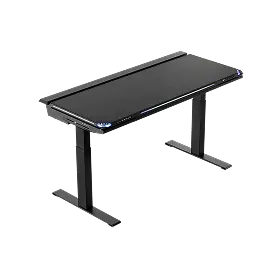
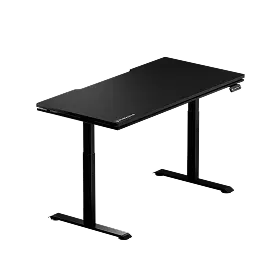
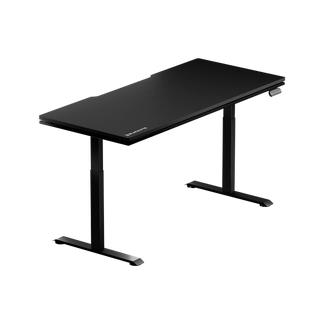
Blacklyte's Atlas Desk and Atlas Lite Standing Desk are built specifically for this dual-mode approach. Both feature a built-in electrical socket and a built-in cable management system, while the Atlas adds a magnetic surface and smart lighting controls via the proprietary Atlas Driver software (the Atlas Lite has the same power strip, just without lighting-control ports). Whether you're mid-session or mid-sprint on a work deadline, the transition between heights is seamless. For a direct comparison of desk specifications and height ranges, the Blacklyte Desk Comparison page gives you a side-by-side breakdown of every key parameter.
Gaming Desk Surface Materials: A Detailed Breakdown
The surface material affects everything from daily feel and durability to long-term maintenance and aesthetics. This is where buying decisions often go wrong — people choose based on looks alone and discover the practical trade-offs months later.
Solid Wood
Solid wood desks are premium in every sense of the word. They're heavy, structurally rigid, and age beautifully when maintained properly. A solid walnut or oak desk will outlast most of the hardware sitting on top of it. The downsides are real, though: solid wood is expensive, sensitive to humidity changes (it can warp or crack over time without climate control), and relatively heavy to move. It also tends toward a more traditional aesthetic, which may or may not fit a gaming room's visual identity.
MDF (Medium-Density Fiberboard)
MDF is the most common desktop surface in the gaming desk market, and for practical reasons. It's affordable, machines well into clean edges and shapes, and takes paint or laminate finishes consistently. Most gaming desks in the mid-range bracket use MDF covered with a PVC or melamine laminate that gives a clean matte or glossy finish. The weakness of MDF is water sensitivity — chips and scratches in the laminate can let moisture in, causing swelling over time. Weight capacity is also lower than solid wood or steel, so you'll need to check that the density and thickness (look for at least 25mm) are sufficient for heavy monitor configurations.
Glass
Glass desktops look striking and are genuinely easy to wipe clean, which matters if you eat or drink at your desk. Tempered glass specifically is a safe, reasonably durable material for a desk surface. That said, glass has meaningful limitations for gaming: it provides almost no friction for mouse movement without a full-size mousepad, shows fingerprints constantly, and transmits vibrations more than wood-based surfaces. It can also feel cold and slightly slippery to the touch. Glass works best as a style statement in setups where aesthetics are the priority, but it's rarely the top choice for performance-focused configurations.
Carbon Fiber Finish
Carbon fiber finish — it's worth clarifying that most desks marketed with this description use a carbon fiber texture wrap or laminate, not actual carbon fiber composite. True carbon fiber is exceptionally expensive at desktop scale. The textured finish, however, is more durable than standard laminate, resists scratches better, and adds a tactile dimension that feels premium. It's a good middle-ground option for gamers who want a performance-oriented look without paying solid-wood prices.
Frame Materials: Steel vs. Aluminum
The frame material matters as much as the surface — maybe more, because it determines long-term structural integrity and stability under load. Steel frames are the standard in quality gaming desks. They're strong, cost-effective, and can support substantial weight without flexing. Aluminum frames offer a better strength-to-weight ratio and a more refined appearance, though they typically appear at higher price points. For height-adjustable desks specifically, frame quality is critical: a weak or poorly engineered lifting mechanism introduces wobble at standing height, which becomes distracting fast. When evaluating a standing desk, look for dual-motor lifting systems, tested stability at maximum extension, and a rated weight capacity that gives you comfortable headroom above your actual setup weight.
Key Features That Elevate a Gaming Desk
Once you've settled on size, shape, and materials, the features built into the desk become the differentiator between a desk that merely holds your gear and one that actively improves your setup.
- Cable management: Integrated cable trays, grommets, and routing channels keep your setup clean and reduce the friction of changing peripherals. This is one of the most underrated features and one of the first things you'll appreciate daily.
- Integrated power: a built-in power strip with mains sockets, built into the desk surface, eliminates the need for external solutions and reduces desktop clutter significantly.
- RGB or smart lighting: Aesthetic aside, controllable desk lighting can reduce eye strain during night sessions by creating ambient light behind your monitors. When it integrates with your other RGB components, it's a clean bonus.
- Magnetic surface accessories: Systems that allow modular accessories (monitor risers, headphone hooks, cable organizers) to attach magnetically to the desk surface offer flexibility as your setup evolves.
- Memory presets on height-adjustable desks: If you're investing in a standing desk, programmable height presets mean you're not manually adjusting every time you shift position — one touch returns you to your exact ergonomic sit or stand height.
Blacklyte's Atlas Desk integrates all of these features into a single coherent system. The Atlas Driver software brings lighting controls, height memory, and accessory management into one interface — a detail that matters when you're mid-session and not thinking about managing your desk manually. Browse the full Blacklyte product lineup or explore complementary desk accessories to see how the ecosystem fits together.
Weight Capacity: Know Your Limits
This is a spec that's easy to skip and genuinely important not to. Add up the weight of everything that will sit on your desk: monitors (a 27-inch monitor typically weighs 5–8 kg, a 32-inch can be 8–12 kg), a PC tower if it sits on the surface, speakers, a capture card, streaming equipment, and peripherals. Multi-monitor setups can push 30–40 kg of total load without much effort. A desk rated for 50 kg handles this comfortably; one rated for 30 kg is already working at its limit.
For height-adjustable desks, pay particular attention to rated capacity at full standing height — stability under load at maximum extension is where engineering quality separates good desks from great ones. Never assume that a desk rated for a certain weight when flat holds the same rating through its full height range; check the manufacturer's specifications explicitly.
How to Choose the Right Gaming Desk for You
Putting it all together is simpler once you approach it in the right order. Start with your room. Measure the wall space available, account for clearance on all sides, and establish the maximum footprint your desk can occupy. Then establish your current gear inventory and where you realistically see it in 12–18 months — it's almost always worth sizing up slightly to avoid outgrowing your desk within a year.
From there, shape follows naturally from your room layout. If you have a corner available and want to maximize surface area, an L-shape is often the smartest move. If you want flexibility and a clean aesthetic, a straight desk at 55–60 inches covers the majority of setups well. If you're serious about long-term ergonomics, a height-adjustable desk is an investment in your health and performance that compounds over time.
Surface material should be chosen based on how you actually use your desk, not just how it looks in product photos. MDF with quality laminate is the most practical choice for most gamers. Solid wood rewards those who want longevity and don't mind the premium. Glass is a style choice with real functional compromises. And whatever surface you choose, pair it with a steel or aluminum frame rated well above your expected load.
If ergonomics is a priority — and for serious gamers who log long hours, it absolutely should be — your desk choice doesn't stand alone. A desk set at the right height works in combination with your chair. Blacklyte's ergonomics guide and Gaming Hub go deeper on how to dial in your full setup, from desk height to monitor distance to chair positioning, so every component works together rather than against you.
Build a Setup That Works as Hard as You Do
A great gaming desk isn't a luxury — it's the foundation everything else is built on. Get the size, shape, and surface material right, and you create a space where your gear performs optimally, your body stays comfortable through long sessions, and your focus stays on the game instead of working around the limitations of your setup.
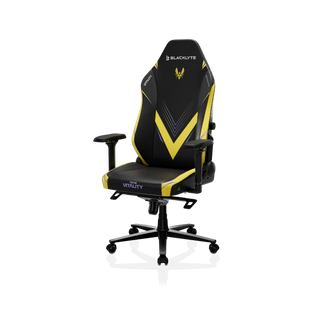
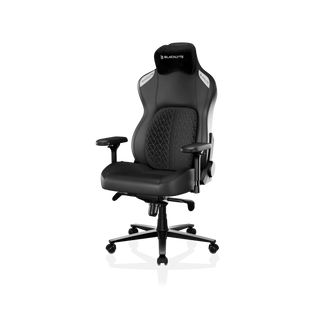
Blacklyte's Atlas lineup brings together the ergonomic intelligence and build quality that serious setups demand — height-adjustable range and integrated cable management across both desks, with the Atlas adding smart lighting and a magnetic accessory surface managed through a single software interface. Paired with a Blacklyte gaming chair from the full chair lineup, your entire workstation becomes a cohesive, performance-tuned system trusted by over 200,000 gamers across 50+ Countries & Regions and backed by partners including Team Liquid, Fnatic, and tournament organizer BLAST.
Explore current promotions and bundle options at Blacklyte Promotions, or compare desk models head-to-head at the Desk Parameter Comparison page. Every desk ships free with a 30-day return window and warranty coverage extendable up to 5 years.
Ready to upgrade your setup?
Our team is here to help you find the right desk, chair, and accessories for your exact needs — whether you're starting from scratch or fine-tuning a setup you've been building for years.
Contact Us


