






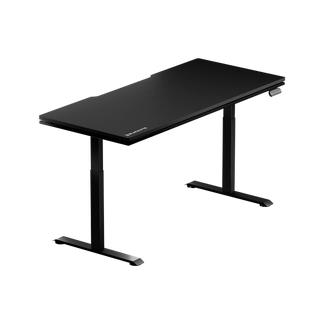


Is a Standing Ergonomic Gaming Desk Worth Buying for Gamers?

For today’s gamers, a desk is more than just a flat surface for a keyboard and monitor. It’s where long gaming sessions happen, where streams are run, where schoolwork or remote work gets done — sometimes all at once. With more hours spent sitting, it’s no wonder that many players are asking themselves a common question: Is a standing ergonomic gaming desk really worth the investment, or is it just another gadget that looks cool but doesn’t make a difference?
These kinds of desks used to feel like something that only belonged in corporate offices, but they’ve slowly slipped into gaming setups as well, mainly because they offer a bit more flexibility and can help reduce physical strain over time. This guide will help you figure out whether a standing ergonomic desk fits your setup — or if another ergonomic upgrade might make more sense first.
What Is a Standing Ergonomic Gaming Desk?
A standing ergonomic gaming desk lets you move effortlessly between sitting and standing while gaming. Unlike a standard desk with a fixed height, it can be adjusted to help you maintain good posture no matter how you sit or stand. While many gaming desks focus on flashy designs, RGB lighting, or extra tabletop space, a standing ergonomic desk prioritizes comfort and proper body alignment. It’s made to reduce strain and support your posture, making long gaming sessions much easier on your body.
Standing Ergonomic Gaming Desk vs Standard Gaming Desk — What’s the Real Difference?
A traditional gaming desk is usually:
- One fixed height
- Designed for monitors, PC towers, and accessories
- Stability-focused but not posture-adaptive
A standing ergonomic gaming desk is:
- Height adjustable (manual or electric)
- Designed for sit-stand cycling
- Built to support better spine, wrist, and shoulder alignment
- Often stronger in structure if made for gaming loads
In other words, it’s not just a taller desk — it’s a desk designed to help gamers avoid the strain that comes from hours of sitting in the same posture.
Benefits of a Standing Ergonomic Gaming Desk for Gamers
A good ergonomic standing gaming desk isn’t about forcing yourself to stand all day. The real value comes from movement and posture variation.
Here are the biggest benefits gamers typically experience.
Reduced Back and Neck Fatigue During Long Gaming Sessions
Long gaming sessions often lead to:
- Forward-leaning posture
- Rounded shoulders
- Pressure on the lower back and neck
Switching to a standing position reduces static pressure on the spine, allows the body to reset, and helps prevent slump-style sitting.
Many gamers notice that:
- Their shoulders relax more naturally
- Neck strain decreases
- They feel less sore after long sessions
Standing isn’t a cure-all — but breaking sitting cycles is one of the most effective posture improvements available without changing your entire setup.
Better Circulation and Less Sedentary Fatigue During Extended Gameplay
Gaming doesn’t just require focus — it also requires endurance. Long periods of stillness can lead to stiffness, heavy-leg fatigue, or sluggish concentration.
Standing encourages:
- Subtle body movement
- Better blood circulation
- More natural weight shifting
This makes a noticeable difference during:
- Long RPG or grinding sessions
- Multi-hour streaming
- Editing or content review between games
Rather than boosting “performance speed”, standing tends to improve long-session comfort and alertness.
More Flexibility for Hybrid Work and Gaming Desks Setup
Today, many players use the same desk for:
- Work or remote meetings
- School or study
- Editing or creative projects
- Gaming
A standing ergonomic gaming desk adapts to all of these roles, making the setup more functional and future-proof. Instead of buying separate work and gaming furniture, one adjustable desk can serve both needs. For users who spend 6–10 hours a day at the same desk, the benefit is even greater.
Does a Height-Adjustable Gaming Desk Improve Gaming Performance?
This is one of the most common questions gamers ask — and the answer depends on how you play.
Standing may help with:
- Staying more alert and focused
- Avoiding slouching during long gameplay
- Reducing stiffness that affects reaction comfort
Some players find standing useful during grinding, light casual sessions, open-world play, or streaming.
However, sitting is often still preferred for:
- Precision-intensive FPS games
- Competitive ranked matches
- Long sessions requiring stable wrist anchoring
Standing changes wrist angle and weight distribution slightly, which some gamers love — and others don’t.
Make sure: Standing does not automatically make you “play better”. Instead, the best performance comes from a sit-stand hybrid cycle, where you alternate based on comfort and activity.
What to Look for When Buying a Standing Ergonomic Gaming Desk?
Not every standing desk is designed for gaming use. Before buying one, gamers should pay attention to a few key features that affect stability, comfort, and long-term durability.
Weight Capacity and Frame Stability for Gaming Setups
Gaming setups often include dual monitors, a heavy keyboard, metal peripherals, and sometimes a full-tower PC on the desk. A good gaming-grade standing desk should support a higher weight load and remain stable at full height, without wobbling during fast mouse movements.
Desktop Depth and Surface Space for Mouse and Keyboard Control
Gamers typically need more surface depth than office users. A desk that is at least 24–30 inches deep leaves proper room for arm placement, wrist alignment, and large mouse-pad movement space without crowding the keyboard.
Motor Performance and Noise Level During Sit-Stand Switching
Electric height-adjustable desks are more convenient for frequent sit-stand switching. Smooth movement, low noise, and reliable lifting columns help maintain focus during gameplay or streaming sessions.
Cable Management Designed for Multi-Device Gaming Rigs
Multiple devices mean more cables than a normal workstation. Built-in cable trays and grommet holes prevent tension on ports when the desk moves, and reduce clutter that can interfere with peripheral setup.
Monitor & Keyboard Ergonomic Alignment in a Gaming Desk Setup
A desk works best when paired with adjustable monitor arms and a keyboard position that keeps wrists neutral. Gamers should ensure the desk layout supports proper viewing height rather than forcing screen tilt or awkward posture.
Sitting vs Standing — Finding the Right Balance in a Gaming Desk Setup
If you're researching the best electric standing desks, the real debate isn’t about choosing sitting or standing — it’s about finding the right balance.
Pros of Sitting
- More stable arm and wrist control
- Comfortable for precision-focused gameplay
- Low fatigue for long continuous matches
Pros of Standing
- Resets posture and body alignment
- Encourages movement and circulation
- Helps reduce long-session stiffness
Best Practice: Alternate Between Sitting and Standing
Most ergonomic specialists recommend: 40–60 minutes sitting → 15–20 minutes standing → repeat
This rhythm allows:
- Muscles to reset
- Posture to stabilize
- Comfort to remain consistent across long hours
Standing all day can be just as uncomfortable as sitting all day — movement is what matters most.
Who Should Consider Buying a Standing Ergonomic Gaming Desk?
An electric standing desk for gaming is most valuable for:
- Gamers who spend 4–8+ hours per day at their desk
- Streamers or content creators
- Long-session game players
- Users who share one desk for work and gaming
- Anyone dealing with recurring back or neck strain from sitting too long
For these users, the investment typically delivers meaningful comfort, flexibility, and health benefits over time.
Conclusion: Is a Standing Ergonomic Gaming Desk Worth Buying for Gamers?
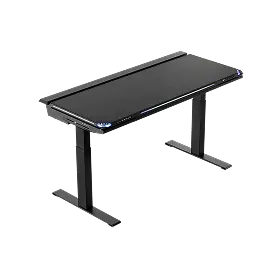
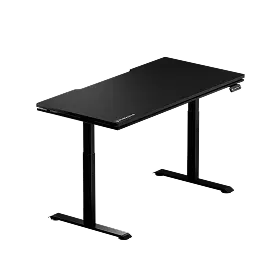
Are standing ergonomic gaming desks worth it? For anyone who spends hours at the same desk, absolutely — as long as it fits your routine. If you’re looking for desks that combine flexibility, comfort, and solid build for both work and gaming, the Blacklyte Atlas Gaming Desk and Atlas Lite Standing Desk are excellent choices. They offer smooth height adjustment, sturdy frames, and enough surface space for all your gear, making long sessions easier on your body. It’s not about standing all day, but about moving, adjusting, and making yourself comfortable. Small fixes like a cushion or monitor shift can do wonders if a full sit-stand desk isn’t in the budget. The ones that work best are the desks that handle both work and gaming without leaving you sore or drained.


