








How an Ergonomic Gaming Chair Works with a Standing Desk?

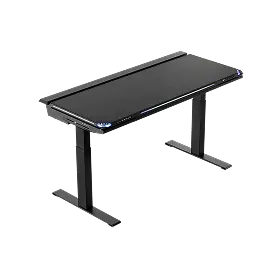
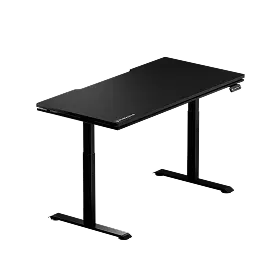
For years, people talked about workspaces in simple terms — you either sat at a desk or you stood at one. But real life rarely fits into one posture. Long creative sessions, gaming marathons, remote work, streaming, editing — most of us move through different levels of focus and energy throughout the day. And that’s where something interesting happens: A good ergonomic gaming chair and a standing desk don’t compete with each other. They actually work better as a system.
When the two are used together, they create a more flexible, body-friendly setup — one that supports movement instead of locking the body into a single position. That’s exactly the philosophy behind many Blacklyte workstation setups: comfort, performance, and adaptability working as one.
Why a Standing Desk Still Needs an Ergonomic Gaming Chair
There’s a common misconception that once someone switches to a standing desk, the chair becomes less important — or even unnecessary. But anyone who has tried standing all day knows the reality: standing nonstop can be just as exhausting as sitting nonstop.
Leg fatigue builds up, the lower back tightens, and focus drops eventually.
A high-quality gaming chair plays a completely different role in this environment. It’s not just a “place to sit.” It becomes the recovery stage between standing intervals — the moment where the body resets, breathing slows, and pressure leaves the joints.
During these sitting phases, a well-designed chair:
- Supports the spine instead of compressing it
- Helps the hips stay aligned
- Reduces strain in the shoulders and neck
- Allows the body to rest without going fully static
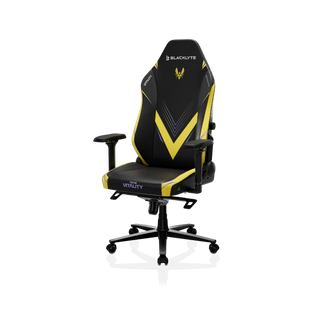
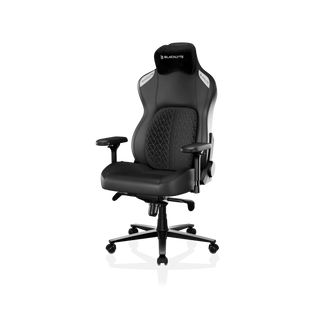
Rather than choosing between sitting or standing, you move between the two — and the chair becomes the foundation that makes this rotation sustainable. This is where Blacklyte gaming chairs are designed to perform — not just for gaming, but for real daily recovery and support. If you want to understand more about how chair design affects your body over long sessions, our article Why Ergonomics Matter: How Ergonomic Gaming Chairs Improve Your Posture and Performance explains in detail how lumbar support, posture alignment, and movement work together to reduce strain.
How Gaming Chair Ergonomics Complement Standing Desk Benefits

A good ergonomic gaming chair isn’t just defined by its appearance. Its value comes from the details built into the structure — especially when paired with a standing desk.
Some features make a direct difference in sit-stand workflows:
1. Dynamic lumbar support: When you return from standing to sitting, the lumbar curve needs to stay engaged instead of collapsing backward. A responsive lumbar system helps maintain a natural spinal shape rather than forcing the back to adapt to the seat.
2. Adjustable or 4-way armrests: Switching between mouse control, typing, and relaxed positioning becomes smoother. Your shoulders don’t have to work overtime just to stabilize the arms.
3. High-back design with head support: After periods of standing, the upper back and neck often look for a brief “reset.” A supportive backrest gives the muscles a moment to release tension instead of locking up.
4. Flexible recline and rocking mechanics: Sitting doesn’t need to be rigid. Small micro-movements help circulation and keep the body active, which pairs naturally with standing routines.
This is where Blacklyte’s ergonomic approach stands out: the goal isn’t to force you into a fixed “perfect posture,” but to encourage controlled, comfortable movement across different postures.
Sitting, Standing, Switching — How It Improves Focus & Performance
Anyone who spends hours at a desk — gamers, editors, developers, streamers, artists — eventually recognizes the same truth: the body influences the mind more than we expect.
Standing often refreshes energy and circulation. It helps during brainstorming, communication, or moments when you need to step back and look at the big picture.
Sitting, on the other hand, supports precision and fine-control tasks, especially during gaming, keyframe editing, or coding sessions that require absolute focus.
With a balanced rotation:
- Legs and lower back get time to recover
- The body avoids repeating the same pressure pattern
- Fatigue builds more slowly — and more gently
Instead of fighting your desk setup, you work with it. If you’re curious how an ergonomic gaming chair can also enhance comfort, health, and even in-game performance, check out The Benefits of Ergonomic Gaming Chairs: Comfort, Health, and Better Gameplay for a deeper dive.
How to Use a Gaming Chair and Standing Desk Together (Practical Guide)
A good system isn’t just about equipment — it’s about habits. Some practical ways to use both effectively:
- Keep the monitor at eye level in both sitting and standing positions
- Adjust armrest height so shoulders stay relaxed during transitions
- Avoid locking the chair’s recline completely — allow small movement
- Alternate in natural cycles, e.g., 45–60 minutes sitting, 10–15 minutes standing
The point isn’t to chase strict timing rules. It’s to build a rhythm your body can sustain.
Gaming Chair vs Office Chair with a Standing Desk — What’s Different?
Office chairs are often optimized for static desk environments. They focus on neutral support, which works fine when the body rarely changes posture. A gaming chair, especially one with a performance-oriented structure and stronger lateral support, behaves differently:
- The seating experience feels more stable during high-focus use
- The chair adapts more naturally to fast transitions between tasks
- Movement feels intentional rather than accidental
With a standing desk, that adaptability becomes more noticeable — the chair isn’t just a seat, it’s part of the workflow architecture. If you want a deeper breakdown of the differences, you can also read our guide on Gaming Chair vs Office Chair for a side-by-side comparison of comfort, ergonomics, and performance.
Common Mistakes When Pairing a Standing Desk with a Chair
Even a great setup can underperform if used incorrectly. A few mistakes appear frequently:
- Standing for too long without recovery periods
- Setting the desk too high or too low in both postures
- Locking the backrest and sitting in a rigid, fixed angle
- Ignoring armrest alignment, leading to shoulder strain
The goal isn’t to stay perfectly upright — it’s to stay comfortably active.
Where This Desk and Chair Combo Makes the Biggest Difference
The pairing works especially well in environments where time and focus stretch across long sessions:
- Hybrid work-and-gaming home setups
- Content creation & streaming stations
- Editing, design, and post-production workflows
- Esports practice schedules with recovery intervals
It suits people who don’t just sit or just stand — but operate in cycles of concentration, rest, and movement.
Care, Layout & Practical Usage Tips
To keep the setup working smoothly:
- Leave enough floor space for chair mobility while standing
- Protect PU leather or fabric surfaces from unnecessary friction
- Keep cables routed cleanly to avoid catching when repositioning
- Allow the body to adjust naturally instead of forcing posture changes
A good workspace should feel supportive — not mechanical.
Conclusion — Not a Choice Between Sitting or Standing, but a System
A standing desk makes movement possible. A good gaming chair makes recovery sustainable. Together, they create a more balanced way to work, play, create, and focus — one that respects both performance and long-term comfort. And that’s the philosophy behind Blacklyte ergonomics: not just building equipment, but shaping environments that help people stay capable, comfortable, and present — through every mode of their day.


