







Gaming Chair Keeps Sinking? Why It Happens and How to Fix It
You've adjusted your gaming chair to the perfect height, settled in, and started your gaming session or workday. But after a few minutes, the seat slowly drops, leaving you sitting lower than before. You adjust it again, only to find the same problem returning.
If your gaming chair keeps sinking, the gas lift cylinder is often the first component to investigate. This sealed mechanism controls seat height, and worn internal seals can prevent it from maintaining pressure. However, the cylinder isn't always the cause. A faulty height adjustment lever, damaged seat mechanism, or other structural issues can also affect how your chair holds its position.
The good news is that you may not need to replace your entire gaming chair. Identifying the faulty component first can help you determine whether a simple mechanism check, a replacement gas lift, or professional support is the right solution.
In this guide, we'll explain why gaming chairs keep sinking, how to diagnose the problem, and what you can do to restore proper height adjustment.
Why Does a Gaming Chair Keep Sinking?
Most gaming chairs use a pneumatic gas lift cylinder to control seat height. This sealed component contains compressed gas and an internal piston. When you operate the height adjustment lever, it activates a valve that allows the piston to move, raising or lowering the seat.
When the valve is closed, the cylinder should maintain its position. If the seat gradually drops while you're sitting still, the gas lift may no longer be holding pressure correctly. Several factors can contribute to this problem.
1. Worn or Damaged Gas Lift Cylinder
A worn gas lift is one of the most common reasons a gaming chair won't stay at the same height. Over time, repeated compression, movement, and regular use can wear down the cylinder's internal sealing components. If the seals become damaged, the cylinder may lose its ability to maintain pressure under load.
You may notice:
- The seat gradually lowers while you're sitting still.
- The chair no longer maintains your selected height.
- Height adjustment becomes inconsistent.
- The seat repeatedly drops even after being raised.
If the gas lift has an internal seal failure, external cleaning or lubrication won't restore its ability to hold pressure. Replacing the cylinder with a compatible unit is generally the appropriate solution.
2. Faulty Height Adjustment Mechanism
Sometimes, the gas lift itself is working properly, but the height adjustment mechanism isn't releasing or closing the valve correctly. The adjustment lever connects to a mechanism underneath the seat. If the lever becomes stuck, misaligned, or damaged, it may continue pressing against the gas lift valve when it shouldn't.
Potential signs include:
- The adjustment lever feels unusually loose or stiff.
- The lever doesn't return to its normal position.
- The seat height changes unexpectedly when the lever is moved.
- The adjustment mechanism doesn't respond consistently.
In this situation, inspect the external lever and its connection to the seat mechanism. If a component is bent, loose, or damaged, it may need adjustment or replacement.
3. Excessive Load or Repeated Impact
Every gaming chair has a specified weight capacity. Regularly exceeding that limit can place additional stress on the gas lift, seat mechanism, and supporting structure. Repeatedly dropping into your chair can also create sudden impact forces that accelerate wear over time.
To reduce unnecessary stress:
- Stay within the chair's stated weight capacity.
- Lower yourself into the seat rather than dropping onto it.
- Avoid excessive force when adjusting the seat.
- Follow the manufacturer's instructions for normal operation.
These habits won't reverse existing cylinder damage, but they can help reduce avoidable wear.
4. Damaged Seat Mechanism or Chair Base
Not every chair stability problem is caused by the gas lift. A damaged tilt mechanism, loose connection, cracked base, or worn caster can make the chair feel unstable, even when the seat height remains unchanged.
Pay attention to the difference:
- Gradual downward movement: May indicate a gas lift or adjustment mechanism problem.
- Side-to-side movement: May indicate a loose connection, damaged base, or worn casters.
- Unexpected reclining or tilting: May indicate an issue with the tilt mechanism.
Identifying the affected component before attempting a repair helps prevent unnecessary replacements.
How to Diagnose a Gaming Chair That Keeps Sinking
Before purchasing replacement parts or attempting a repair, take a few minutes to inspect your chair. The following checks can help narrow down the possible cause.
Step 1: Check Whether the Seat Gradually Drops
Adjust your chair to your normal sitting height and observe whether the seat stays in position. If it gradually lowers while you're sitting still, the gas lift may have difficulty maintaining pressure. If the seat remains stable but moves unexpectedly when you operate the adjustment lever, the lever or its connection to the valve may need inspection. Avoid repeatedly testing a chair that feels structurally unstable.
Step 2: Inspect the Height Adjustment Lever
Check the lever underneath the seat.
Look for:
- A loose or misaligned lever.
- Visible damage around the adjustment mechanism.
- Dirt or debris around the lever pivot.
- A lever that doesn't return to its normal resting position.
A mechanism that doesn't release the gas lift valve properly may interfere with normal height adjustment.
Step 3: Check the Gas Lift and Seat Connections
Inspect the visible parts of the gas lift cylinder and the areas where it connects to the seat mechanism and chair base.
Look for obvious signs of damage, including:
- Visible corrosion or surface damage.
- A loose connection.
- A bent or damaged supporting component.
- Unusual movement around the cylinder housing.
Do not attempt to open, puncture, heat, or disassemble the gas lift cylinder. It is a pressurised component and should be handled according to the manufacturer's repair instructions.
Step 4: Inspect the Chair Base and Casters
Check the five-star base, caster connections, and other supporting components. Look for cracks, loose fittings, or visible deformation. If the chair rocks or wobbles, stop using it until the structural issue has been assessed. A damaged base or unstable connection should never be treated as a minor height adjustment problem.
How to Fix a Gaming Chair That Keeps Sinking
Once you've identified the likely cause, you can choose an appropriate solution. Not every problem requires a replacement part. However, if the gas lift has lost its ability to maintain pressure, replacing the cylinder is generally more reliable than attempting a temporary workaround.
Fix 1: Inspect and Clean the Height Adjustment Mechanism
If the adjustment lever feels stiff or doesn't return properly, start by checking the external mechanism.
What you'll need:
- A soft cloth.
- A small cleaning brush.
- A suitable lubricant, if recommended by the manufacturer.
Steps:
1. Turn the chair off its normal operating position only if necessary and ensure it is stable before inspecting underneath the seat.
2. Locate the height adjustment lever and its pivot point.
3. Remove visible dust and debris around the external mechanism using a soft cloth or brush.
4. Check whether the lever moves freely and returns to its normal position.
5. If lubrication is recommended by the manufacturer, apply a small amount to the appropriate external pivot point.
6. Test the adjustment mechanism according to the manufacturer's instructions.
Important: Do not apply oil directly to the exposed gas lift shaft or attempt to lubricate the cylinder's internal seals. External lubrication cannot repair a failed pressure seal. If the chair continues to sink after the mechanism has been checked, the gas lift or another internal component may require replacement.
Fix 2: Replace the Gaming Chair Gas Lift Cylinder
If the gas lift has failed, replacing it is generally the most effective way to restore normal height adjustment.
Before ordering a replacement, make sure the new cylinder is compatible with your chair. Consider the following specifications:
- Cylinder diameter: Check the dimensions of the original gas lift and its connection points.
- Overall length: The replacement should fit the chair's existing structure.
- Stroke length: Make sure the cylinder provides the required height adjustment range.
- Load rating: Select a cylinder that meets the chair manufacturer's specifications.
- Compatibility: Confirm that the connection type and mounting dimensions match your chair.
A gas lift that looks similar to the original isn't necessarily compatible. Always verify the specifications before purchasing a replacement. For the actual removal and installation process, follow the chair manufacturer's instructions or use a qualified technician. Gas lift cylinders are pressurised components, and forceful removal or incorrect installation can create safety risks. If your chair is still covered by warranty, contact the manufacturer before attempting any disassembly or purchasing replacement parts.
Fix 3: Contact the Manufacturer for Repair Support
If you're unsure whether the gas lift, adjustment lever, or seat mechanism is damaged, contacting the manufacturer is often the safest next step.
Before submitting a support request, prepare:
- Your chair model and purchase details.
- A description of when the sinking occurs.
- Photos of the gas lift and adjustment mechanism.
- A short video showing the height adjustment problem, if possible.
The support team can help identify the affected component, confirm replacement part compatibility, and explain the appropriate repair process. For Blacklyte owners in Australia, visit the Blacklyte Aftercare Guide or contact the Blacklyte Support Team for assistance.
How to Prevent Your Gaming Chair from Sinking Again
Although gas lift components naturally experience wear over time, proper use and routine maintenance can help reduce unnecessary stress on your chair.
Here are a few practical habits worth following.
1. Sit Down Gently
Avoid dropping your full weight onto the seat. Repeated sudden impacts can place additional stress on the gas lift and supporting structure. Lower yourself into the chair in a controlled manner.
2. Follow the Manufacturer's Height Adjustment Instructions
Use the height adjustment lever as instructed by the manufacturer. Avoid forcing the mechanism or repeatedly operating it when it isn't responding normally. If the lever feels stuck, investigate the cause rather than applying additional force.
3. Stay Within the Weight Capacity
Every gaming chair has a specified load limit. Exceeding this limit can place unnecessary stress on the gas lift, frame, and supporting components. Check your chair's product specifications and follow the recommended weight capacity.
4. Keep the Adjustment Mechanism Clean
Dust and debris can accumulate around the underside of the seat and adjustment lever. Clean the accessible external components periodically using a soft cloth. Only lubricate moving parts when recommended by the manufacturer.
5. Inspect the Chair Regularly
Check the following components every few months:
- Gas lift and its visible connections.
- Height adjustment lever.
- Seat mechanism and tilt controls.
- Chair base and caster connections.
- Screws and bolts.
Addressing loose fittings or visible damage early can help prevent further problems. For additional maintenance advice, see the Blacklyte Aftercare Guide.
Should You Repair or Replace Your Gaming Chair?
A sinking gaming chair doesn't automatically mean it's time to buy a new one. If the gas lift is the only faulty component and the rest of the chair remains in good condition, replacing the cylinder may be a practical solution. However, if multiple components are worn or damaged, replacing the entire chair may be worth considering.
When Should You Repair Your Gaming Chair?
Repairing your existing chair may make sense when:
- Only the gas lift cylinder needs replacing.
- The chair base and frame remain structurally sound.
- The seat cushioning is still in good condition.
- The tilt and adjustment mechanisms work properly.
- Compatible replacement parts are available.
If the chair is still covered by warranty, check the manufacturer's coverage before arranging a repair yourself.
When Should You Consider Replacing Your Gaming Chair?
A replacement may be a more practical option when:
- The chair base is cracked or structurally damaged.
- The tilt mechanism no longer holds its position.
- Multiple components require replacement.
- The seat cushioning has significantly deteriorated.
- The chair no longer provides the fit and support you need.
If you're comparing a new gaming chair, don't focus on appearance alone. Consider the gas lift specifications, weight capacity, adjustment features, seat construction, and available after-sales support.
What to Look for in a Gaming Chair Gas Lift
If you're buying a new gaming chair, the gas lift is one of the specifications worth checking. Here are several factors to consider:
1. Gas Lift Class
Class 2, Class 3, and Class 4 are commonly used classifications for gas lift cylinders. Class 4 is featured in many higher-specification seating products, including Blacklyte gaming chairs. However, a higher class rating alone doesn't guarantee a particular service life. Construction quality, load rating, usage, and compliance with relevant safety requirements also matter.
2. Weight Capacity
Check the manufacturer's stated weight capacity rather than relying on the gas lift class alone. The chair's overall load rating depends on the complete supporting structure, not just the cylinder.
3. Compatibility and Specifications
The gas lift should match the chair's mounting dimensions, required height range, and intended application.
4. Manufacturer Support
Clear product specifications, replacement part availability, and accessible after-sales support can make long-term chair ownership easier. Blacklyte gaming chairs feature Class 4 gas lifts as part of their specifications, providing buyers with a clear reference point when comparing chair construction.
Frequently Asked Questions
1. Why does my gaming chair keep going down when I sit on it?
A gaming chair that gradually lowers while you're sitting is often experiencing a gas lift problem. Worn internal seals can prevent the cylinder from maintaining pressure, causing the seat to drop over time. A faulty height adjustment mechanism may also contribute to the issue.
2. Can you fix a gaming chair that keeps sinking?
Yes. The appropriate solution depends on the underlying cause. A faulty adjustment lever may need inspection or cleaning, while a gas lift with damaged internal seals generally needs to be replaced with a compatible cylinder.
3. How do I know if my gaming chair gas lift is broken?
If your chair gradually sinks under normal use despite being set to the correct height, the gas lift may be failing. Inconsistent height adjustment or visible damage around the cylinder can also indicate a problem. A proper inspection is needed to confirm the cause.
4. Can you replace the gas lift on a gaming chair?
Yes. Many gaming chairs use replaceable gas lift cylinders. However, the replacement must match the original chair's dimensions, connection type, and specifications. If the chair is under warranty or you're unfamiliar with the installation process, contact the manufacturer for assistance.
5. How long does a gaming chair gas lift last?
There is no universal lifespan for a gaming chair gas lift. Its durability depends on construction quality, usage frequency, load, and operating conditions. Regular maintenance can help reduce unnecessary wear, but a cylinder that no longer holds its height may need replacement.
6. Is a Class 4 gas lift better for a gaming chair?
Class 4 gas lifts are commonly used in higher-specification seating products. They are worth considering when comparing gaming chairs, but buyers should also check load ratings, compatibility, product specifications, and relevant safety standards.
7. Is it safe to use a gaming chair that keeps sinking?
A chair that repeatedly sinks may still have a functioning base and frame, but it shouldn't be ignored. If the chair also wobbles, has damaged connections, or shows signs of structural failure, stop using it until the problem has been inspected and repaired.
Final Thoughts
A gaming chair that keeps sinking can interrupt your comfort and make it difficult to maintain a consistent sitting position. In many cases, the gas lift cylinder is the main component to investigate, but checking the adjustment mechanism and supporting structure first can help you avoid unnecessary repairs.
If the gas lift has failed, replacing it with a compatible unit is generally the most reliable solution. If the problem involves multiple damaged components, it may be worth comparing the cost of repairs with a replacement chair. When choosing your next gaming chair, pay attention to its gas lift specifications, overall construction, adjustment features, and manufacturer support.
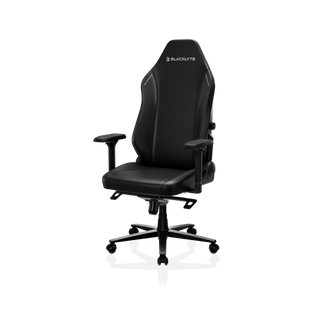
Blacklyte gaming chairs feature Class 4 gas lifts, alongside different seat designs and support configurations across the range. Explore the Blacklyte Athena Pro and Kraken Pro, or browse the Blacklyte gaming chair collection to find a chair that suits your setup.


