







Best Gaming Chair Setup for PS5 and Console Players
You've invested in a PS5, a 4K display, and a headset that picks up every footstep. But if you're still gaming in an old office chair or a sagging couch, you're leaving a massive part of the experience on the table. The best gaming chair setup for PS5 and console players isn't just about aesthetics — it's about sustaining peak focus, protecting your body during long sessions, and building a space that genuinely performs as hard as you do.
Console gaming has its own ergonomic demands. Unlike PC setups where monitor distance and desk height are the primary concerns, PS5 players often game from a greater viewing distance, sometimes without a desk at all, and tend to sink into extended play sessions without natural movement breaks. That makes your chair the single most important piece of hardware in the room — a bold claim, but one that holds up once you understand what proper support actually does for reaction time, posture, and endurance.
This guide walks through everything you need to build the ideal gaming chair setup around your PS5: which chair features matter most, how to dial in your ergonomic positioning, whether you need a desk, and which accessories round out a setup that's ready for any session length.
Why Your Chair Matters More Than You Think for Console Gaming
Most console gamers underestimate their chair because they don't connect posture to performance. In reality, poor seating posture activates fatigue in your back, neck, and shoulders within an hour — subtly degrading your reaction times and focus long before you consciously feel uncomfortable. A study from the field of occupational ergonomics consistently links unsupported lumbar curvature to increased muscle strain, and that strain doesn't pause when you pick up a controller.
Console gaming also tends to be more passive in posture compared to PC gaming. Without a keyboard and mouse anchoring you upright, it's easy to slouch, lean forward toward the screen, or let your head drift out in front of your shoulders. Over months and years, these habits compound. A well-engineered gaming chair keeps your spine in its natural S-curve, your hips at a healthy angle, and your shoulders relaxed — so your body stops working against you and your game gets your full attention.
Beyond performance, there's longevity to consider. Whether you're grinding ranked matches, deep in a 60-hour RPG, or watching your friends stream from the same setup, you want a chair that holds up over years of daily use. That means quality materials, robust mechanisms, and a build that doesn't degrade after the first season.
Key Features to Look for in a Gaming Chair for PS5
Shopping for a gaming chair gets confusing fast — every brand leads with the same bullet points, and the differences that actually matter are buried in spec sheets. Here's what genuinely impacts your console gaming experience:
- Lumbar support: Look for built-in lumbar systems rather than an add-on pillow if you want hands-free, consistent support. Adjustable lumbar — whether height-adjustable, depth-adjustable, or both — lets you dial in the pressure exactly where your lower back needs it.
- Recline range: Console gaming invites a more relaxed recline than PC gaming. A chair that reclines smoothly from upright (90°) to a comfortable lean (up to ~149°) covers everything from competitive focus mode to casual story-game lean-back sessions.
- 4D armrests: Armrests that adjust in height, width, depth, and angle let you support your arms whether you're holding a DualSense at chest height or resting between rounds. Fixed or 2D armrests don't cut it for an ergonomically complete setup.
- Seat foam quality: High-density cold-cure foam holds its shape under repeated use. Lower-density foam compresses over time and loses the support profile it shipped with. For extended console sessions, foam density matters more than it gets credit for.
- Tilt mechanism: A quality tilt mechanism — ideally with adjustable tension — lets you rock back comfortably without locking your posture in place. Natural micro-movement while gaming reduces fatigue compared to sitting rigidly still.
- Base and caster quality: A strong 5-star aluminum alloy base paired with smooth-rolling casters keeps the chair stable during those intense moments when you lean forward instinctively.
- Material durability: Whether you prefer breathable fabric or leatherette, look for proprietary or purpose-built materials that balance tactile comfort, durability, and ease of cleaning.
One feature that often gets added to generic buying guides but doesn't apply to all chairs: seat depth adjustment. Not every chair offers this, so check specifications carefully rather than assuming it's included. Focus your evaluation on the features above, which have a direct and consistent impact on console gaming comfort.
Blacklyte's Gaming Chair Lineup: Which One Fits Your Setup?
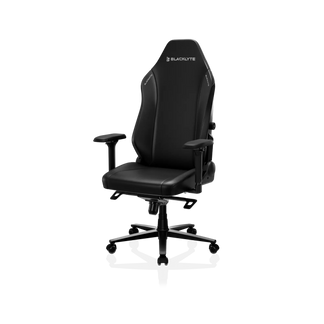
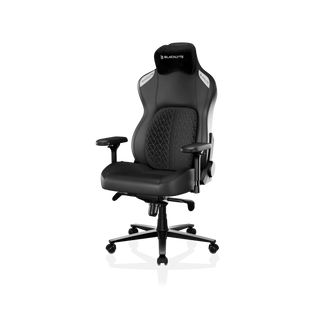
Blacklyte engineers its chairs specifically for extended gaming sessions, with a product lineup that spans entry-level to flagship — each model built around the same core ergonomic principles but tuned for different preferences and budgets. All three current models ship with 4D armrests across the full lineup, recline from 90° to 149°, and use a frog-type tilt mechanism with adjustable tilt tension. Here's how they stack up for PS5 players:
Athena Gaming Chair — The Entry Point
The Athena Gaming Chair is Blacklyte's entry-level model, but entry-level in Blacklyte's lineup means something different than the industry average. It uses a 5-star Aluminum Alloy base, a Class 4 hydraulic gas piston for height adjustment, contour foam seating, and an external lumbar pillow for lower back support. The Athena is built with Blacklyte's DuraGen™ Leatherette — a proprietary surface material engineered for resilience and easy maintenance. For PS5 players setting up their first dedicated gaming space, the Athena delivers genuine ergonomic support without overcomplicating the spec sheet.
Kraken Pro Gaming Chair — Premium Performance
The Kraken Pro Gaming Chair steps up to an aluminum alloy 5-star base and introduces a built-in floating lumbar system with front-to-back fine adjustment and a locking position — no external pillow required. Its contour foam seat uses a density range of 45–50 kg/m³, shaped to distribute weight evenly during long sessions. The Kraken Pro is the right choice for console players who want a premium chair with a built-in lumbar that stays exactly where you set it. It's particularly well-suited to players who move between gaming and other desk-based activities throughout the day.
Athena Pro Gaming Chair — Flagship Ergonomics
The Athena Pro Gaming Chair is Blacklyte's flagship model and the most ergonomically advanced chair in the lineup. Its standout feature is a built-in 4-way adjustable lumbar system that moves both up and down and in and out — giving you precise, personalized lower-back support that no pillow can replicate. The seat cushion combines memory foam (infused with bamboo charcoal and silver ions for temperature regulation and hygiene) over a contour-foam core, a construction found exclusively in the Athena Pro. The backrest uses contour foam, as it does across the lineup. An aluminum alloy base, FlexKnit™ Fabric option for breathability, and the same Class 4 hydraulic gas piston complete a chair that's built for daily flagship-level use. For serious PS5 players who game for multiple hours per day, the Athena Pro is the definitive recommendation.
Not sure which model fits your needs? Blacklyte's chair comparison tool puts all three side by side so you can evaluate the differences at a glance.
Ergonomic Positioning for Console Gamers
Getting the right chair is step one. Setting it up correctly is step two, and it's where most people leave performance gains on the table. Console gaming from a chair — particularly when your TV or monitor is positioned at a distance — introduces some positioning nuances that differ from a typical PC desk setup.
Start with seat height. Your feet should rest flat on the floor with your knees at roughly a 90-degree angle. If your chair is too high, the edge of the seat pan will cut into the backs of your thighs and restrict circulation over long sessions. Too low, and your hips close up and your lower back rounds. Blacklyte's Class 4 hydraulic gas piston gives you a smooth, reliable height range to find that sweet spot.
Next, set your lumbar support so it contacts the natural inward curve of your lower back — not the mid-back, and not so aggressive that it pushes you forward. The Athena Pro's 4-way lumbar is uniquely useful here because you can move it vertically to match your exact spinal anatomy. For the Kraken Pro, fine-tune the front-to-back pressure until you feel your lower back supported without tension. For the Athena, position the lumbar pillow to sit just above the beltline.
Set your armrests so your elbows are supported with your shoulders relaxed — not raised. When holding a DualSense controller, your arms should rest naturally rather than being suspended in the air. Adjust the 4D armrests for height first, then angle and width until the controller sits comfortably in your hands without shoulder tension.
For screen distance, the general rule for console gaming is to sit far enough that you can see the full screen without moving your eyes significantly to reach the corners — typically 1.5 to 2.5 times the diagonal screen size. Pair this with a slight recline (around 100–110°) for long sessions, which reduces spinal disc pressure compared to sitting bolt upright at 90°.
Desk or No Desk? Setting Up Your Console Gaming Station
PS5 gaming doesn't inherently require a desk — but adding one to your setup opens up serious quality-of-life upgrades. A desk gives you a surface for your controller charger, headset stand, snacks, and anything else you reach for mid-session. More importantly, if you also use your setup for PC gaming, content creation, or remote work, a good desk becomes the hub around which everything else is organized.
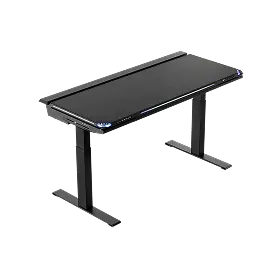
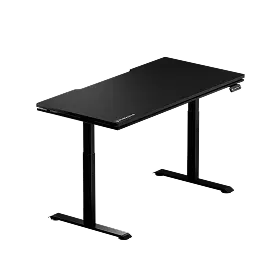
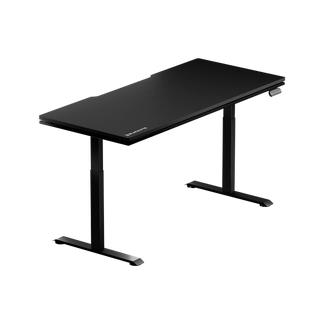
Blacklyte's standing desk lineup is designed to complement the gaming chair ecosystem. The Atlas Desk features an integrated power supply, built-in cable management channels, a magnetic surface for accessory mounting, and smart lighting controls via Blacklyte's proprietary Atlas Driver software. The Atlas Lite Standing Desk offers the height-adjustable standing format for players who want to shift between sitting and standing throughout the day. Both desks are engineered to pair with Blacklyte chairs as a cohesive setup rather than an afterthought.
If you prefer a pure couch-or-chair setup without a desk, that's completely valid for PS5. In that case, focus all your setup energy on the chair itself — getting the ergonomics right becomes even more critical when there's no desk to offload some of the support work.
Accessories That Complete the Setup
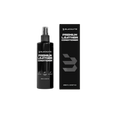
Once your chair and desk situation is dialed in, a few well-chosen accessories bring the setup together. Blacklyte's accessories range is designed specifically to integrate with the chair and desk ecosystem, covering items like monitor arms, cable management solutions, and desk accessories that keep your space clean and functional.
Beyond the Blacklyte ecosystem, consider these additions for a fully optimized PS5 gaming station:
- Footrest: If your chair height puts your feet slightly off the ground — common for shorter players — a footrest maintains proper knee angle and prevents the seat edge from cutting into your thighs.
- Monitor or TV mount: Getting your screen at eye level (or slightly below for a comfortable recline angle) dramatically reduces neck strain over long sessions. An adjustable arm gives you more flexibility than a fixed stand.
- Lighting: Ambient backlighting behind your display reduces eye strain by softening the contrast between a bright screen and a dark room — a small change with a meaningful quality-of-life impact during evening sessions.
- Headset stand: Keeping your headset at arm's reach off the desk surface or a dedicated stand protects the headband and keeps cables tidy.
- Controller charging station: A dedicated charging dock keeps your DualSense controllers powered without cable clutter. Pair it with a cable management solution to keep runs tidy.
The goal isn't to fill a desk with gear — it's to remove friction from the session. Every time you have to dig under a pile of cables for a controller or squint at a glare-washed screen, that's energy not going into the game. A clean, purpose-built setup pays dividends in both comfort and focus.
Blacklyte's chair and desk lineup is backed by partnerships with tournament organizer BLAST and esports organizations including Team Liquid, Fnatic, and Team Spirit — meaning the ergonomic principles built into every product have been stress-tested in some of the most demanding competitive environments in the world. Explore the full partner and collaboration lineup to see the setups trusted at the highest level.
For a deeper look at ergonomic principles — whether for gaming or work — Blacklyte's Gaming Hub and Ergonomics resource page cover posture, setup optimization, and the science behind why all of this matters.
Final Thoughts
Building the best gaming chair setup for PS5 comes down to one central principle: your body is the most important piece of hardware in the room. A well-engineered chair keeps you in the game longer, sharper, and without the cumulative physical cost that poor seating imposes over time. Whether you go with Blacklyte's entry-level Athena, the premium Kraken Pro with its built-in floating lumbar, or the flagship Athena Pro with its 4-way adjustable lumbar and memory foam seat — you're investing in a setup that treats your comfort as a performance variable, not an afterthought.
Pair the right chair with a purpose-built desk, smart accessory choices, and the ergonomic positioning principles outlined here, and your PS5 setup stops being just a collection of hardware and starts being a genuinely optimized gaming environment. Trusted by over 200,000 gamers across 50+ Countries and Regions, Blacklyte has spent 20 years engineering the intersection of comfort, durability, and performance — and every product in the lineup reflects that commitment.
Ready to Build Your Ultimate PS5 Setup?
Explore Blacklyte's full range of gaming chairs, standing desks, and accessories — or get in touch with our team to find the perfect fit for your space and play style.
Shop Gaming ChairsView All ProductsContact Us


