







Height-Adjustable Standing Desks: Finding Your Sit-Stand Sweet Spot
A height-adjustable standing desk gives you the flexibility to work while sitting or standing, but getting the most from it involves more than pressing a button. The right desk height, monitor position, and sit-stand routine all contribute to a workspace that feels comfortable throughout the day.
There is no single desk height or sitting-to-standing schedule that works for everyone. Your ideal setup depends on your body proportions, chair, equipment, and the way you work. The goal is to create two comfortable working positions and switch between them regularly, rather than replacing prolonged sitting with prolonged standing.
In this guide, we'll explain how to find your ideal sitting and standing desk heights, build a practical sit-stand routine, and choose a height-adjustable standing desk that supports your everyday setup.
1. Why Sitting and Standing Balance Matters
Spending most of the day in one position can leave you feeling stiff and uncomfortable. Sitting for extended periods limits movement, while standing in the same position for too long can contribute to foot fatigue and discomfort in the legs and lower back.
A height-adjustable standing desk makes it easier to introduce more movement into your working day. Instead of remaining seated for hours, you can change positions when your task, energy level, or comfort calls for it.
However, standing is not automatically better than sitting. The value of a sit-stand workstation comes from having the flexibility to alternate between positions and take regular movement breaks.
A practical approach is to:
- Alternate between sitting and standing throughout the day.
- Avoid staying in either position for excessively long periods.
- Take short walks or movement breaks away from your desk.
- Adjust your workstation whenever your posture starts to feel uncomfortable.
Think of your standing desk as a tool for changing positions, not a reason to stand for as long as possible.
2. How to Find Your Ideal Standing Desk Height
The correct desk height allows you to work with relaxed shoulders, comfortably bent elbows, and wrists in a neutral position. Rather than relying on a standard height chart, adjust the desk according to your natural posture.
Finding Your Seated Desk Height
Start by adjusting your chair before changing the desk.
1. Sit with your back supported and your feet resting flat on the floor.
2. Relax your shoulders and let your arms rest naturally at your sides.
3. Bend your elbows to approximately 90 degrees.
4. Adjust the chair and desk so your forearms are roughly parallel to the floor when your hands rest on the keyboard.
5. Check that your wrists remain straight rather than bending upward or downward.
If your feet cannot comfortably reach the floor after adjusting the chair, consider a footrest. Avoid raising the chair simply to reach the desk if doing so leaves your feet unsupported.
Finding Your Standing Desk Height
When switching to standing, begin with a natural, relaxed posture.
1. Stand upright with your feet comfortably positioned.
2. Keep your shoulders relaxed rather than lifting them toward your ears.
3. Bend your elbows to approximately 90 degrees.
4. Adjust the desktop until your forearms are roughly parallel to the floor.
5. Check that your wrists remain neutral while typing or using a mouse.
Your standing desk height will usually be different from your seated height, but the difference varies from person to person. Do not assume that a fixed number of centimetres will work for everyone.
Also consider your footwear. Shoes with different sole heights can slightly change your ideal standing position, so check your posture in the footwear you normally use.
Adjusting Your Monitor Position
Your monitor should remain comfortable to view in both sitting and standing positions.
- Position the screen so you can look at it without constantly tilting your head up or down.
- Keep the monitor at a comfortable viewing distance, commonly around arm's length, depending on screen size and visual needs.
- Avoid placing the screen so high that you need to raise your chin.
- Recheck the monitor position after changing desk height.
A monitor arm can make these adjustments easier, especially if you frequently switch between sitting and standing or use multiple displays.
3. How Often Should You Switch Between Sitting and Standing?
There is no universally correct sit-stand ratio. Your ideal schedule depends on how accustomed you are to standing, the type of work you do, and how your body responds. Some people prefer shorter, more frequent standing intervals. Others are comfortable standing for longer periods before sitting down. Neither approach needs to follow a strict timer.
Start with Short Intervals
If you are new to using a standing desk, begin with manageable periods of standing and increase them gradually if comfortable.
For example, you could try:
- Start with a short standing interval during each hour of desk work.
- Alternate back to sitting before your legs or feet become uncomfortable.
- Add more standing time gradually if the routine feels manageable.
- Take movement breaks rather than remaining stationary throughout the day.
A 15-minute standing interval can be a useful starting point for some people, but it should not be treated as a mandatory target.
Build a Routine Around Your Work
Your schedule can also reflect the tasks you are doing.
For example:
- Focused computer work: Alternate between sitting and standing based on comfort and concentration.
- Video calls: Try standing for part of a meeting if your workstation is properly adjusted.
- Reading or reviewing documents: Change positions when it feels natural rather than remaining in one posture for the entire task.
- Breaks: Step away from the desk and move around instead of treating standing as a substitute for movement.
The important thing is consistency without rigidity. If you experience foot fatigue, knee discomfort, or lower back tightness, change position or take a break rather than forcing yourself to complete a planned standing interval.
4. How to Build a Comfortable Sit-Stand Workstation
A height-adjustable desk is only one part of a comfortable workstation. Your chair, monitor, keyboard, mouse, and surrounding space should work together in both positions.
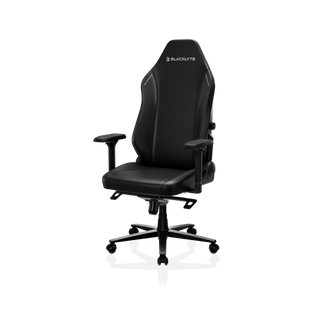
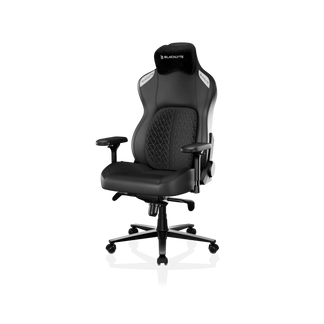
Choose a Chair That Supports Your Seated Position
Since you will still spend part of your day sitting, your chair remains important.
Look for features that allow you to adjust your seating position, including:
- Seat height adjustment to support your feet.
- Lumbar support that accommodates your back.
- Armrests that can be positioned comfortably.
- A seat that allows you to sit without restricting movement.
When switching between sitting and standing, check that the chair does not prevent you from returning to a comfortable seated position.
Keep Your Monitor and Input Devices Within Reach
Your keyboard and mouse should be positioned so you can use them without reaching forward or lifting your shoulders. If you use multiple monitors, arrange them according to how frequently you use each screen. A monitor arm can help maintain a suitable viewing position while allowing more flexibility across different desk heights.
Manage Cables Across the Full Height Range
Cable management becomes especially important with an electric standing desk.
Before using the full adjustment range, check that:
- Power cables have enough slack when the desk is raised.
- Monitor and peripheral cables are not pulled tight.
- Cables do not become trapped between moving components.
- Power connections remain accessible.
- Cable trays and clips do not interfere with the lifting mechanism.
A setup that looks tidy at sitting height may become restrictive when the desk is raised. Test the full movement range before settling on your cable layout.
Consider Accessories for Additional Comfort
Depending on your setup, a few accessories may make daily adjustments easier.
- Monitor arm: Helps reposition one or more displays.
- Anti-fatigue mat: Provides a cushioned surface when standing on hard flooring.
- Footrest: Can help support your feet while seated.
- Cable management accessories: Keep cables organised and reduce the risk of snagging during height adjustments.
These accessories should support your individual setup rather than being treated as mandatory additions.
5. What to Look for in a Height-Adjustable Standing Desk
When choosing a height-adjustable standing desk, consider how well its specifications match your body, workspace, and equipment.
Height Adjustment Range
Check the minimum and maximum desk heights before purchasing. The desk should accommodate both your comfortable seated and standing positions. A wide adjustment range can provide more flexibility, but the actual usable range matters more than the headline number. Compare the desk's specifications with the heights you measured in your own setup.
Motor System and Adjustment Speed
Electric standing desks make it easier to change positions throughout the day.
When comparing models, consider:
- Number and type of motors.
- Lifting speed.
- Operating noise.
- Adjustment controls.
- Whether the desk includes programmable height presets.
A dual-motor system is one specification to consider, but it does not automatically guarantee better stability. Frame construction, leg design, desktop dimensions, and overall assembly also matter.
Memory Presets
Programmable memory settings allow you to save frequently used desk heights.
For example, you may want to save:
- Your preferred seated height.
- Your preferred standing height.
- An additional position for another user or task.
The number of available presets varies between models, so check the specification rather than assuming every desk offers the same number.
Weight Capacity and Stability
Consider the combined weight of everything you plan to place on the desktop, including:
- Monitors and monitor arms.
- Desktop PCs or laptops.
- Speakers and other peripherals.
- Desk accessories and other equipment.
Pay attention to the maximum distributed load capacity and check whether it varies by desk size. Stability should also be evaluated separately from weight capacity. A desk's frame construction, leg columns, desktop dimensions, floor conditions, and height setting can all affect how stable it feels. If possible, check how the desk performs at its maximum height.
Cable Management and Desktop Features
A practical standing desk should make it easy to keep your workstation organised. Look for suitable cable routing, accessible power connections, and enough room for your equipment. Also consider desktop size, surface construction, available accessories, and whether the desk supports the features you actually intend to use. The best choice is not necessarily the desk with the longest feature list. It is the one that fits your working habits and equipment requirements.
6. Choosing Between Blacklyte Atlas and Atlas Lite
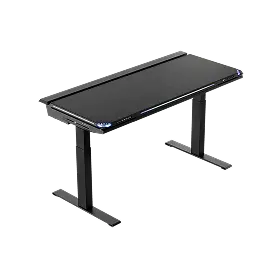
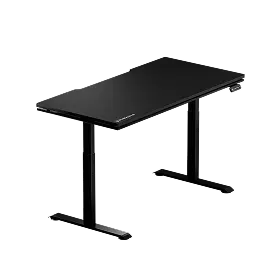
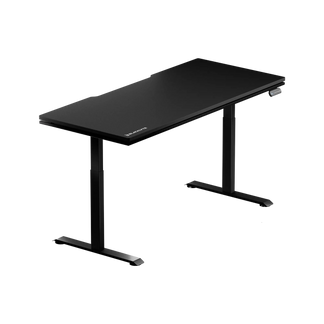
Blacklyte Atlas and Atlas Lite are both electric height-adjustable desks designed for flexible workstation setups. They share a dual-motor lifting system but differ in adjustment range, desktop dimensions, memory presets, and other specifications.
The following comparison can help you decide which model better suits your space and sit-stand routine.
| Specification | Atlas Lite | Atlas |
| Height Range | 700–1170 mm | 720–1370 mm |
| Desktop Size | 1200 × 800 / 1400 × 800 / 1600 × 800 / 1800 × 800 mm | 1500 × 700 mm |
| Motors | Dual Electric Motors | Dual Electric Motors |
| Leg Column | 2-Stage | 3-Stage |
| Height Memory Presets | 4 | 2 |
| Motor Speed | 25 mm/s | 38 mm/s |
| Noise Level | ≤48 dB | <48 dB |
| Maximum Distributed Load | 100 kg (S/M); 120 kg (L/XL) | 125 kg |
| Desktop Construction | Melamine Laminate / MDF | PVC Wrap / MDF with Steel |
| Dynamic Lighting | – | Integrated LED Lighting |
| Magnetic Surface | – | 100% |
When to Choose Atlas Lite
The Blacklyte Atlas Lite Standing Desk offers four desktop sizes and three colour options: Obsidian Black, Moonstone White, and Natural Oak. Its four memory presets make it convenient to save multiple working heights. The available desktop sizes also provide flexibility for different room layouts and equipment configurations. Atlas Lite may be a suitable option if you want to choose a desktop size that fits your available space and need multiple saved height positions.
When to Choose Atlas
The Blacklyte Atlas Desk has a 720–1370 mm height range, a three-stage leg column, and a listed lifting speed of 38 mm/s. It also features two memory presets and integrated LED lighting. Its 1500 × 700 mm desktop provides a dedicated workspace for a gaming or productivity setup.
Atlas may be worth considering if its height range, desktop dimensions, and integrated lighting features match your requirements.
Before choosing either model, compare the desk's adjustment range with your measured sitting and standing heights. Also consider your equipment load and available floor space.
7. Frequently Asked Questions
What Is the Ideal Height for a Standing Desk?
The ideal standing desk height allows you to stand naturally with relaxed shoulders, elbows bent at approximately 90 degrees, and forearms roughly parallel to the floor. The exact measurement depends on your height and body proportions.
How Often Should You Switch Between Sitting and Standing?
There is no fixed schedule that suits everyone. Start with shorter standing intervals, alternate positions regularly, and adjust the routine according to your comfort and daily activities. Remember to include movement breaks.
Is It Better to Sit or Stand While Working?
Neither position is ideal for maintaining throughout the entire day. Alternating between sitting, standing, and moving around gives you more opportunities to change posture during work.
How Long Should You Stand at a Standing Desk?
Start with a manageable standing interval and gradually adjust it based on how comfortable you feel. Avoid treating standing time as an endurance target. If you experience discomfort or fatigue, change position or take a break.
Can You Use a Height-Adjustable Desk for Gaming?
Yes. A height-adjustable desk can accommodate gaming and other computer activities in both seated and standing positions. Check that the desktop has enough space for your monitors, PC, keyboard, mouse, and accessories, and make sure your preferred working heights fall within the desk's adjustment range.
Final Thoughts
Finding your sit-stand sweet spot is about more than choosing a desk with a wide height range. It involves setting the correct height for both positions, arranging your monitor and input devices, and developing a routine that encourages regular movement.
Start with your own measurements rather than relying on standard height recommendations. Switch positions when appropriate, avoid standing through discomfort, and make sure your workstation remains practical at every height.
Whether you choose Atlas or Atlas Lite, the right height-adjustable standing desk should fit your body, equipment, and daily workflow. Explore the Blacklyte Atlas Desk lineup to find a height-adjustable setup for your workspace.


